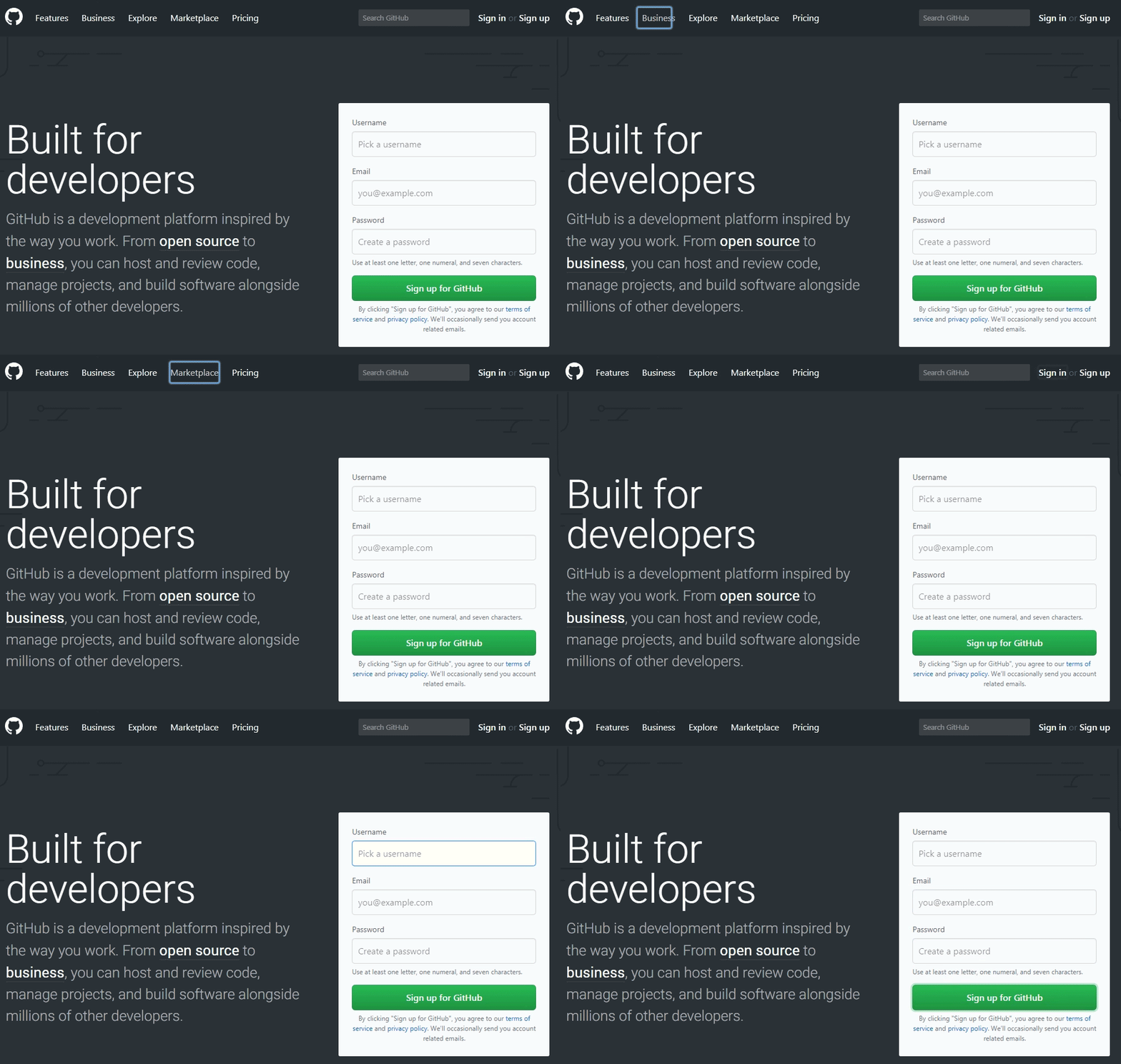
Maurice Mahan created FocusOverlay, a "library for creating overlays on focused elements." That description is a little confusing at you don't need a library to create focus styles. What the library actually does is animate the focus rings as focus moves from one element to another. It's based on the same idea as Flying Focus.
I'm not strong enough in my accessibility knowledge to give a definitive answer if this is a great idea or not, but my mind goes like this:
It's a neat effect.
I can imagine it being an accessibility win since, while the page will scroll to make sure the next focused element is visible, it doesn't otherwise help you see where that focus has gone. Movement that directs attention toward the next focused element may help make it more clear.
I can imagine it being harmful to accessibility in that it is motion that isn't usually there and could be surprising.
On that last point, you could conditionally load it depending on a user's motion preference.
The library is on npm, but is also available as direct linkage thanks to UNPKG. Let's look at using the URLs to the resources directly to illustrate the concept of conditional loading:
The JavaScript is also 11.5 KB / 4.2 KB compressed and the CSS is 453 B / 290 B compressed, so you've always got to factor that into as performance and accessibility are related concepts.
Performance isn't just script size either. Looking through the code, it looks like the focus ring is created by appending a <div> to the <body> that has a super high z-index value in which to be seen and pointer-events: none as to not interfere. Then it is absolutely positioned with top and left values and sized with width and height. It looks like new positional information is calculated and then applied to this div, and CSS handles the movement. Last I understood, those aren't particularly performant CSS properties to animate, so I would think a future feature here would be to use animation FLIP to take advantage of only animating transforms.
Say you have a <blockquote> and the design calls for a thick border along the left side. Well, you might not necessarily mean left side, but actually mean on the side of the start of the text.
That's exactly what CSS logical properties are meant to address, and Hussein Al Hammad has a nice article laying out some use cases, including the blockquote thing I mentioned above.
By using logical properties, you don't have to mess around with manually writing selectors including [dir="rtl"] or needing to be aware of writing modes and such. The box model stuff (borders, padding, margin...) will adjust where it needs to be.
Hussein's blockquote is a good baby step example for understanding of all this:
This browser support data is from Caniuse, which has more detail. A number indicates that browser supports the feature at that version and up.
Desktop
Chrome
Opera
Firefox
IE
Edge
Safari
69
62*
41
No
76
12.1
Mobile / Tablet
iOS Safari
Opera Mobile
Opera Mini
Android
Android Chrome
Android Firefox
12.2-12.4
46*
No
76
76
68
One thing that threw me off in the article is the term "Horizontal Rules." First I imagined the <hr> element. Then I imagined wanting to reverse the direction of the design with logical properties. Usually an <hr> is just a line so horizontal direction doesn't matter, but let's say it's like a shorter line along the edge where new lines start after wrapping.
We could draw the shorter line with backgrounds that cover different parts of the box model, then use logical properties where the padding applies. This is a pretty unique edge case, but it's fun to fiddle with:
Earlier this week, I hosted a webinar all about featured snippets covering essential background info, brand-new research we've done, the results of all the tests I've performed, and key takeaways. Things didn't quite go as planned, though. We had technical difficulties that interfered with our ability to broadcast live, and lots of folks were left with questions after the recording that we weren't able to answer in a follow-up Q&A.
The next best thing to a live webinar Q&A? A digital one that you can bookmark and come back to over and over again! We asked our incredibly patient, phenomenally smart attendees to submit their questions via email and promised to answer them in an upcoming blog post. We've pulled out the top recurring questions and themes from those submissions and addressed them below. If you had a question and missed the submission window, don't worry!Ask it down in the comments and we'll keep the conversation going.
If you didn't get a chance to sign up for the original webinar, you can register for it on-demand here:
And if you're here to grab the free featured snippets cheat sheet we put together, look no further — download the PDF directly here. Print it off, tape it to your office wall, and keep featured snippets top-of-mind as you create and optimize your site content.
Now, let's get to those juicy questions!
1. Can I win a featured snippet with a brand-new website?
If you rank on page one for a keyword that triggers a featured snippet (in positions 1–10), you're a contender for stealing that featured snippet. It might be tougher with a new website, but you're in a position to be competitive if you're on page one — regardless of how established your site is.
We've got some great Whiteboard Fridays that cover how to set a new site up for success:
2. Does Google provide a tag that identifies traffic sources from featured snippets? Is there a GTM tag for this?
Unfortunately, Google does not provide a tag to help identify traffic from featured snippets. I'm not aware of a GTM tag that helps with this, either, but would love to hear any community suggestions or ideas in the comments!
It's worth noting that it's currently impossible to determine what percentage of your traffic comes from the featured snippet versus the duplicate organic URL below the featured snippet.
3. Do you think it's worth targeting longer-tail question-based queries that have very low monthly searches to gain a featured snippet?
Great question! My advice is this: don’t sleep on low-search-volume keywords. They often convert really well and in aggregate they can do wonders for a website. I suggest prioritizing long tail keywords that you foresee providing a high potential ROI.
For example, there are millions of searches a month for the keyword “shoes.” Very competitive, but that query is pretty vague. In contrast, the keyword “size 6 red womens nike running shoes” is very specific. This searcher knows what they want and they're dialing in their search to find it. This is a great example of a long tail keyword phrase that could provide direct conversions.
4. What's the best keyword strategy for determining which queries are worth creating featured snippet-optimized content for?
Dr. Pete wrote a great blog post outlining how to perform keyword research for featured snippets back in 2016. Once you've narrowed down your list of likely queries, you need to look at keywords that you rank on page one for, that trigger a snippet, and that you don't yet own. Next, narrow your list down further by what you envision will have the highest ROI for your goals. Are you trying to drive conversions? Attract top-of-funnel site visitors? Make sure the queries you target align with your business goals, and go from there. Both Moz Pro and STAT can be a big help with this process.
A tactical pro tip: Use the featured snippet carousel queries as a starting point. For instance, if there's a snippet for the query "car insurance" with a carousel of "in Florida," "in Michigan," and so on, you might consider writing about state-specific topics to win those carousel snippets. For this technique, the bonus is that you don't really need to be on page one for the root term (or ranking at all) — often, carousel snippets are taken from off-SERP links.
5. Do featured snippets fluctuate according to language, i.e. if I have several versions of my site in different languages, will the snippet display for each version?
This is a great question! Unfortunately, we haven’t been able to do international/multi-language featured snippet research just yet, but hope to in the future. I would suspect the featured snippet could change depending on language and search variation. The best way to explore this is to do a search in an incognito (and un-logged-in) browser window of Google Chrome.
If you've performed research along these lines, let us know what you found out down in the comments!
6. Why do featured snippet opportunities fluctuate in number from day to day?
Change really is the only constant in search. In the webinar, I discussed the various tests I did that caused Moz to lose a formerly won featured snippet (and what helped it reappear once again). Changes as simple as an extra period at the end of a sentence were enough to lose us the snippet. With content across the web constantly being created and edited and deprecated and in its own state of change, it's no wonder that it's tough to win and keep a featured snippet — sometimes even from one day to the next.
The SERPs are incredibly volatile things, with Google making updates multiple times every day. But when it comes down to the facts, there are a few things that reliably cause volatility (is that an oxymoron?):
If a snippet is pulling from a lower-ranking URL (not positions 1–3); this could mean Google is testing the best answer for the query
Google regularly changing which scraped content is used in each snippet
Featured snippet carousel topics changing
The best way to change-proof yourself is to become an authority in your particular niche (E-A-T, remember?) and strive to rank higher to increase your chances of capturing and keeping a featured snippet.
7. How can I use Keyword Lists to find missed SERP feature opportunities? What's the best way to use them to identify keyword gaps?
Keyword Lists are a wonderful area to uncover feature snippet (and other SERP feature) opportunity gaps. My favorite way to do this is to filter the Keyword List by your desired SERP feature. We’ll use featured snippets as an example. Next, sort by your website’s current rank (1–10) to determine your primary featured snippet gaps and opportunities.
The filters are another great way to tease out additional gaps:
Which keywords have high search volume and low competition?
Which keywords have high organic CTR that you currently rank just off page one for?
8. What are best practices around reviewing the structure of content that's won a snippet, and how do I know whether it's worth replicating?
Content that has won a featured snippet is definitely worth reviewing (even if it doesn’t hold the featured snippet over time). Consider why Google might have provided this as a featured snippet:
Does it succinctly answer the query?
Might it sound good as a voice answer?
Is it comprehensive for someone looking for additional information?
Does the page provide additional answers or information around the topic?
Are there visual elements?
It’s best to put on your detective hat and try to uncover why a piece of content might be ranking for a particular featured snippet:
What part of the page is Google pulling that featured snippet content from?
Is it marked up in a certain way?
What other elements are on the page?
Is there a common theme?
What additional value can you glean from the ranking featured snippet?
9. Does Google identify and prioritize informational websites for featured snippets, or are they determined by a correlation between pages with useful information and frequency of snippets?
In other words, would being an e-commerce site harm your chances of winning featured snippets, all other factors being the same?
I’m not sure whether Google explicitly categorizes informational websites. They likely establish a trust metric of sorts for domains and then seek out information or content that most succinctly answers queries within their trust parameters, but this is just a hypothesis.
While informational sites tend to do overwhelmingly better than other types of websites, it’s absolutely possible for an e-commerce website to find creative ways of snagging featured snippets.
It’s fascinating how various e-commerce websites have found their way into current featured snippets in extremely savvy ways. Here's a super relevant example: after our webinar experienced issues and wasn't able to launch on time, I did a voice search for “how much do stamps cost” to determine how expensive it would be to send apology notes to all of our hopeful attendees.
This was the voice answer:
“According to stamps.com the cost of a one ounce first class mail stamp is $0.55 at the Post Office, or $.047 if you buy and print stamps online using stamps.com.”
Pretty clever, right? I believe there are plenty of savvy ways like this to get your brand and offers into featured snippets.
10. When did the "People Also Ask" feature first appear? What changes to PAAs do you anticipate in the future?
People Also Ask boxes first appeared in July 2015 as a small-scale test. Their presence in the SERPs grew over 1700% between July 2015 and March 2017, so they certainly exploded in popularity just a few years ago. Funny enough, I was one of the first SEOs to come across Google’s PAA testing — you can read about that stat and more in my original article on the subject: Infinite "People Also Ask" Boxes: Research and SEO Opportunities
When it comes to predicting the future of PAAs, well, we don't have a crystal ball yet, but featured snippets continue to look more and more like PAA boxes with their new-ish accordion format. Is it possible Google will merge them into a single feature someday? It's hard to say, but as SEOs, our best bet is to maintain flexibility and prepare to roll with the punches the search engines send our way.
11. Can you explain what you meant by "15% of image URLs are not in organic"?
Sure thing! The majority of images that show up in featured snippet boxes (or to be more accurate, the webpage those images live on) do not rank organically within the first ten pages of organic search results for the featured snippet query.
12. How should content creators consider featured snippets when crafting written content? Are there any tools that can help?
First and foremost, you'll want to consider the searcher.
What is their intent?
What desired information or content are they after?
Are you providing the desired information in the medium in which they desire it most (video, images, copy, etc)?
Look to the current SERPs to determine how you should be providing content to your users. Read all of the results on page one:
13. "Write quality content for people, not search engines" seems like great advice. But should I also be using any APIs or tools to audit my content?
The only really helpful tool that comes to mind is the Flesch-Kincaid readability test, but even that can be a bit disruptive to the creative process. The very best tool you might have for reviewing your content might be a real person. I would ensure that your content can be easily understood when read out loud to your targeted audience. It may help to consider whether your content, as a featured snippet, would make for an effective, helpful voice search result.
14. What's the best way to stay on top of trends when it comes to Google's featured snippets?
Find publications and tools that resonate, and keep an eye on them. Some of my favorites include:
Industry news publications like Search Engine Journal and, of course, the Moz Blog ;-)
Subscribing to SEO newsletters like the Moz Top 10
One of the very best things you can do, though, is performing your own investigative featured snippet research within your space. Publishing the trends you observe helps our entire community grow and learn.
Thank you so much to every attendee who submitted their questions. Digging into these follow-up thoughts and ideas is one of the best parts of putting on a presentation. If you've got any lingering questions after the webinar, I would love to hear them — leave me a note in the comments and I'll be on point to answer you. And if you missed the webinar sign-up, you can still access it on-demand whenever you want.
We also promised you some bonus content, yeah? Here it is — I compiled all of my best tips and tricks for winning featured snippets into a downloadable cheat sheet that I hope is a helpful reference for you:
Free download: The Featured Snippets Cheat Sheet
There's no reason you shouldn't be able to win your own snippets when you're armed with data, drive, and a good, solid plan! Hopefully this is a great resource for you to have on hand, either to share around with colleagues or to print out and keep at your desk:
Again, thank you so much for submitting your questions, and we'll see you in the comments for more.
Sign up for The Moz Top 10, a semimonthly mailer updating you on the top ten hottest pieces of SEO news, tips, and rad links uncovered by the Moz team. Think of it as your exclusive digest of stuff you don't have time to hunt down but want to read!
from The Moz Blog https://ift.tt/2NbTaGd
via IFTTT
I don't track this stuff very well, but I get it. If you want a native app for Android and iOS, it sure would be nice to only have to write it once rather than two very different languages. Roughly double your reach without doubling the work. More and more of these things are reaching into desktop as well, meaning three targets for one.
Stuff like PhoneGap comes to mind. They say, "Reuse existing web development skills to quickly make hybrid applications built with HTML, CSS and JavaScript." That's obviously compelling for web developers who would have to learn minimal new things. My brain leans more toward, "Well if I'm going to write this thing in HTML, CSS, and JavaScript, why don't I leave it at that?" Progressive Web Apps are doing great things. Still, I'm curious what the flagship PhoneGap apps are. Do I use any great ones and not even know it?
If you're going to layer on a framework, but still stay in JavaScript-land, I'd think the biggest player is React Native. I hear it's almost always used with Expo these days, which apparently has a thing to help React Native work on the web. Plus, there is literally React Native for Web.
In React-land, there is another new player: Ionic React. It targets all three platforms (iOS, Android, and Desktop) right out of the gate. Ionic isn't new though — it's long been a framework that does this in JavaScript (alternatively in Angular) and is apparently coming soon to Vue. Compelling. Nader Dabit has a first-look blog post that is pretty well done.
This all starts to get confusing to me as apparently Ionic ultimately uses Cordova under the hood... just like PhoneGap does? Or something? But now Ionic is moving to their own thing? I guess it makes sense that there are some low-level interpreter things that translate web primitives to native primitives and that people build developer tooling on top of that.
Google's got a stake in this game with Flutter. Flutter is about hitting all three targets and helping you build the UI. Material design, animation and performance are all first-class citizens. It's all in Dart though. Dart can compile to JavaScript (so it can be used for web stuff) but it also compiles to machine code. I imagine Flutter apps are compiled that way when they become native apps for bonus performance. I don't have a good sense of how popular Dart is, but I'd assume web developers really won't care what they're writing in if great performance on all three targets is the outcome.
Ever further outside my wheelhouse is Xamarin, which is Microsoft's take on unifying development on multiple platforms. The languages involved here are .NET and C#. It has all the same promises as everything else: build with this and it works everywhere! This is for developer convenience! It's fast and you will make amazing things with it!
I'm always of two minds with all this stuff. Some part of me is envious of really nice native apps. Most of my favorite apps on my phone feel very native, although I'm not sure I could spot which framework created them, if any. For example, I have a Dribbble app on my phone and I quite like it. It's simple and nice. I open it up and I'm logged in, which is usually not the case when I open a web app. It feels fast and has all the in-page animation stuff you expect from a native app. I totally wish we had an app like that for CodePen. Maybe if we were starting over today we'd write it in some cross-platform framework that targets all three platforms and maybe gives us some cool competitive advantage. Another part of me is like, meh, I'm a web guy on purpose. I think the native open web is the place to be and has the most longevity. A codebase that serves that well will be the least regrettable over time.
Machine learning is only growing in importance for anyone working in the digital world, but it can often feel like an inaccessible subject. It doesn't have to be — and you don't have to miss out on the competitive edge it can give you when it comes to SEO task automation. Put on your technical SEO cap and get ready to take notes, because Britney Muller is walking us through Machine Learning 101 in this week's episode of Whiteboard Friday.
Click on the whiteboard image above to open a high-resolution version in a new tab!
Video Transcription
Hey, Moz fans. Welcome to another edition of Whiteboard Friday. Today I'm talking about all things machine learning, something, as many of you know, I'm super passionate about and love to talk about. So hopefully, this sparks a seed in some of you to explore it a bit further, because it is truly one of the most powerful things to happen in our space in a very long time.
What is machine learning?
So a brief overview, in a nutshell, machine learning is actually a subset of AI, and some would argue we still haven't really reached artificial intelligence. But it's just one facet of the overall AI.
Traditional programming
The best way to think about it is in comparison to traditional programming. So traditional programming, you input data and a program into a computer and out comes the output, whether that be a web page or calculator you built online, whatever that might be.
Machine learning
With machine learning, what you do is you put in the data and the desired output and put this into a computer, and you get a program, otherwise known as a machine learning model. So it's a bit flipped, and it works extremely well. There are two primary types of machine learning:
You have supervised, which is where you're basically feeding a model labeled training data,
And then unsupervised, which is where you're feeding a program data and letting it create clusters or associations between data points.
The supervised is a bit more common. You'll see things like classification, linear regression, and image recognition. Things like that are all very common. If you think about machine learning in terms of, okay, there's all of this data that you're putting into the model, data is the biggest part of machine learning. A lot of people would argue that if machine learning was a vehicle, data would be the fuel.
It's a really important part to understand, because unless you have the right types of data to feed a model, you're not going to get the desired outcome that you would like.
A machine learning model example
So let's look at an example. If you wanted to build a machine learning model that predicts housing prices, you might have all of this information.
You might have the current price, square foot of these homes, land, the number of bathrooms, the number of bedrooms, you name it. It goes on and on. These are also known as features. So what a model is going to try to do, when you put in all of this data, it's going to try to understand associations between this information and come up with a model that best predicts home prices in the future.
The most basic of these machine learning models is linear regression. So if you think about inputting the data where maybe you just put in the price and the square foot, and you can kind of see the data like this.
You see that as the square foot goes up, so does the price. A model over time, in looking at this data, is going to start to find the smoothest line through the data to have the most accurate predictions in the future.
What you don't want it to do is to fit every single data point and have a line that looks like that — that's also known as overfitting — because it doesn't play nice for new data points. You don't want a model to get so calculated to your dataset that it doesn't predict accurately in the future.
A way to look at that is by the loss function. That's maybe getting a bit deeper in this, but that's how you would measure how the line is being fit. Let's see.
What are the machine learning possibilities in SEO?
So what are some of the possibilities in SEO? How can we leverage machine learning in the SEO space?
Automate meta descriptions
So there are couple ways that people are already doing this. You can automate meta descriptions by looking at the page content and using a machine model to summarize the text. So this literally summarizes the content for you and pares it down to a meta description length. Pretty incredible.
Automate titles
You could similarly do this for titles, although I don't suggest you do this for primary pages. This isn't going to be perfect. But if you have a huge, huge website, with hundreds of thousands of pages, it gets you halfway there. It's really interesting to start playing around in that space with these large websites.
Automate image alt text
You can also automate alt text for images. We see these models getting really good at understanding what's in an image.
Automate 301 redirects
301 redirects, Paul Shapiro has an incredible write-up and basically process for that already.
Automate content creation
Content creation, and if that scares some of you or if you doubt that these models can currently create content that is decent, I challenge you to go check out Talk to Transformer.
It is a pared-back version of OpenAI, which was founded by Elon Musk. It's pretty incredible and a little scary as to how good the content is just from that pared back model. So that is for sure possible in the future and even today.
Automate product/page suggestions
In addition to product and page suggestions.
So this is just going to get better. Imagine us providing content and UX specifically for the unique users that come to our site, highly personalized content, highly personalized experiences. Really exciting stuff moving forward.
Resources
I've got some resources I highly suggest you check out.
Google Codelabs is one of my favorites, just because it walks you through the steps. So if you go to Google Codelabs, filter by TensorFlow or machine learning, you can see the possible examples there. Colab notebooks or Jupyter notebooks are where you'll likely be doing any of the machine learning that you want to do on your own.
Kaggle.com is the number one resource for data science competitions. So you get to really see what are the examples, how are people using machine learning today. You'll see things like TSA has put up over $1 million for a data science team to come up with a model that predicts potential threats from security footage.
This stuff gets really interesting really fast. It's also so important to have diversity and inclusion in this space to avoid really dangerous models in the future. So it's something to definitely think about.
TensorFlow is a great resource. It's what Google put out, and it's what a lot of their machine learning models is built off of. They've got a really great JavaScript platform that you can play around with.
Then Algorithmia is sort of a one-stop shop for models. So if you don't care to dip your toes into machine learning and you just want say a summarizer model or a particular type of model, you could potentially find one there and do a plug-and-play of sorts.
So that's pretty interesting and fun to explore. The last thing is a machine learning model is only as good as the data. I can't express that enough. So a lot of machine learning and data scientists, it's all data cleaning and parsing, and that's the bulk of the work in this field.
It's important to be aware of that. So that's it for Machine Learning 101. Thank you so much for joining me, and I hope to see you all again soon. Thanks.
If you enjoyed this episode of Whiteboard Friday, you'll be delighted by all the cutting-edge SEO knowledge you'll get from our newly released MozCon 2019 video bundle. Catch more useful technical tips in Britney's talk, plus 26 additional future-focused topics from our top-notch speakers:
We suggest scheduling a good old-fashioned knowledge share with your colleagues to educate the whole team — after all, who didn't love movie day in school? ;-)
Sign up for The Moz Top 10, a semimonthly mailer updating you on the top ten hottest pieces of SEO news, tips, and rad links uncovered by the Moz team. Think of it as your exclusive digest of stuff you don't have time to hunt down but want to read!
from The Moz Blog https://ift.tt/31N2yFs
via IFTTT
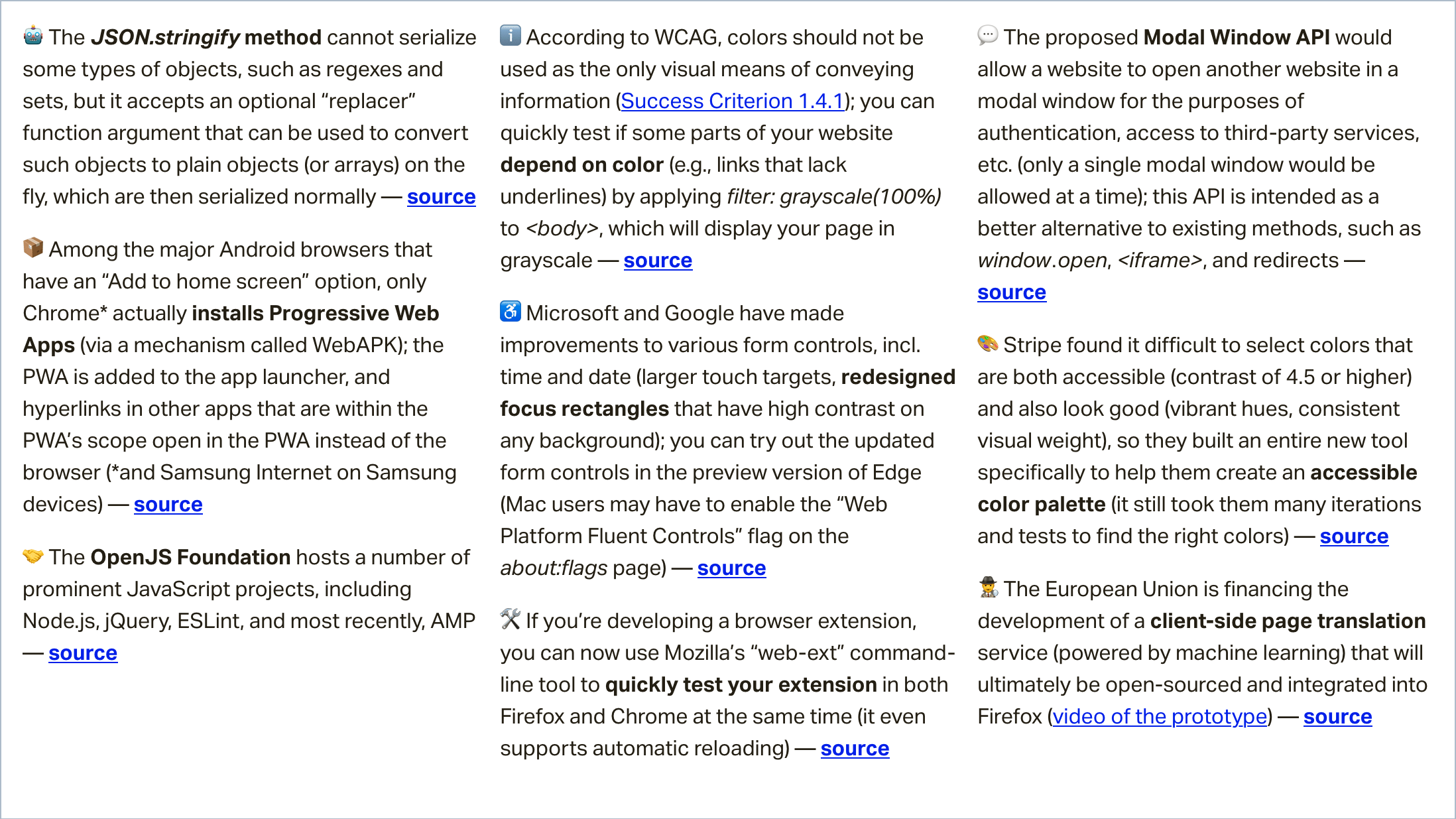
In this week's roundup: "Add to home screen" has different meanings in Android, Chrome and Edge add some pop to focus rectangles on form inputs, and how third-party sites may be coming to a modal near you.
Let's get into the news.
WebAPKs are not available to Firefox on Android
On Android, both Chrome and Firefox have an “Add to home screen” option, but while Firefox merely adds a shortcut for the web app to the user’s home screen, Chrome actually installs the web app (as long as it meets the PWA install criteria) via a WebAPK.
Progressive Web Apps installed in such a way are added to the device’s app drawer, and URLs that are within the PWA’s scope (as specified in its manifest) open in the PWA instead of the default browser.
Tiger Oakes who is implementing PWA-related features at Mozilla, explains why Firefox cannot install PWAs on Android: “WebAPK is not available to us since we don’t own an app store like Google Play and Galaxy Apps.”
More accessible focus rectangles are coming to Chrome and Edge
Microsoft and Google have made accessibility improvements to various form controls. The two main changes are the larger touch targets on the time and date inputs, and the redesigned focus rectangles that are now easily discernible on any background.
The updated form controls are available in the preview version of Edge. Mac users may have to manually enable the “Web Platform Fluent Controls” flag on the about:flags page.
A newly proposed API for loading third-parties in modal windows
The proposed Modal Window API would allow a website to load another website in a modal window (in a top-level browsing context) for the purposes of authentication, payments, sharing, access to third-party services, etc.
Only a single modal window would be allowed at a time, and the two websites could communicate with each other via message events (postMessage method).
This API is intended as a better alternative to existing methods, such as pop-ups, which can be confusing to users and blocked by browsers, and redirects, which cause the original context to be torn down and recreated (or completely lost in the case of an error in the third-party service).
A reducer is a function that determines changes to an application’s state. It uses the action it receives to determine this change. We have tools, like Redux, that help manage an application’s state changes in a single store so that they behave consistently.
Why do we mention Redux when talking about reducers? Redux relies heavily on reducer functions that take the previous state and an action in order to execute the next state.
We’re going to focus squarely on reducers is in this post. Our goal is to get comfortable working with the reducer function so that we can see how it is used to update the state of an application — and ultimately understand the role they play in a state manager, like Redux.
What we mean by “state”
State changes are based on a user’s interaction, or even something like a network request. If the application’s state is managed by Redux, the changes happen inside a reducer function — this is the only place where state changes happen. The reducer function makes use of the initial state of the application and something called action, to determine what the new state will look like.
If we were in math class, we could say:
initial state + action = new state
In terms of an actual reducer function, that looks like this:
Where do we get that initial state and action? Those are things we define.
The state parameter
The state parameter that gets passed to the reducer function has to be the current state of the application. In this case, we’re calling that our initialState because it will be the first (and current) state and nothing will precede it.
contactReducer(initialState, action)
Let’s say the initial state of our app is an empty list of contacts and our action is adding a new contact to the list.
const initialState = {
  contacts: []
}
That creates our initialState, which is equal to the state parameter we need for the reducer function.
The action parameter
An action is an object that contains two keys and their values. The state update that happens in the reducer is always dependent on the value of action.type. In this scenario, we are demonstrating what happens when the user tries to create a new contact. So, let’s define the action.type as NEW_CONTACT.
There is typically a payload value that contains what the user is sending and would be used to update the state of the application. It is important to note that action.type is required, but action.payload is optional. Making use of payload brings a level of structure to how the action object looks like.
Updating state
The state is meant to be immutable, meaning it shouldn’t be changed directly. To create an updated state, we can make use of Object.assign or opt for the spread operator.
In the above example, we made use of the Object.assign() to make sure that we do not change the state value directly. Instead, it allows us to return a new object which is filled with the state that is passed to it and the payload sent by the user.
To make use of Object.assign(), it is important that the first argument is an empty object. Passing the state as the first argument will cause it to be mutated, which is what we’re trying to avoid in order to keep things consistent.
The spread operator
The alternative to object.assign() is to make use of the spread operator, like so:
This ensures that the incoming state stays intact as we append the new item to the bottom.
Working with a switch statement
Earlier, we noted that the update that happens depends on the value of action.type. The switch statement conditionally determines the kind of update we're dealing with, based on the value of the action.type.
That means that a typical reducer will look like this:
const addContact = (state, action) => {
  switch (action.type) {
    case 'NEW_CONTACT':
    return {
        ...state, contacts:
        [...state.contacts, action.payload]
    }
    case 'UPDATE_CONTACT':
      return {
        // Handle contact update
      }
    case 'DELETE_CONTACT':
      return {
        // Handle contact delete
      }
    case 'EMPTY_CONTACT_LIST':
      return {
        // Handle contact list
      }
    default:
      return state
  }
}
It’s important that we return state our default for when the value of action.type specified in the action object does not match what we have in the reducer — say, if for some unknown reason, the action looks like this:
Since we don’t have this kind of action type, we’ll want to return what we have in the state (the current state of the application) instead. All that means is we’re unsure of what the user is trying to achieve at the moment.
Putting everything together
Here’s a simple example of how I implemented the reducer function in React.
You can see that I didn’t make use of Redux, but this is very much the same way Redux uses reducers to store and update state changes. The primary state update happens in the reducer function, and the value it returns sets the updated state of the application.
Want to give it a try? You can extend the reducer function to allow the user to update the age of a contact. I’d like to see what you come up with in the comment section!
Understanding the role that reducers play in Redux should give you a better understanding of what happens underneath the hood. If you are interested in reading more about using reducers in Redux, it’s worth checking out the official documentation.